Keyword Research
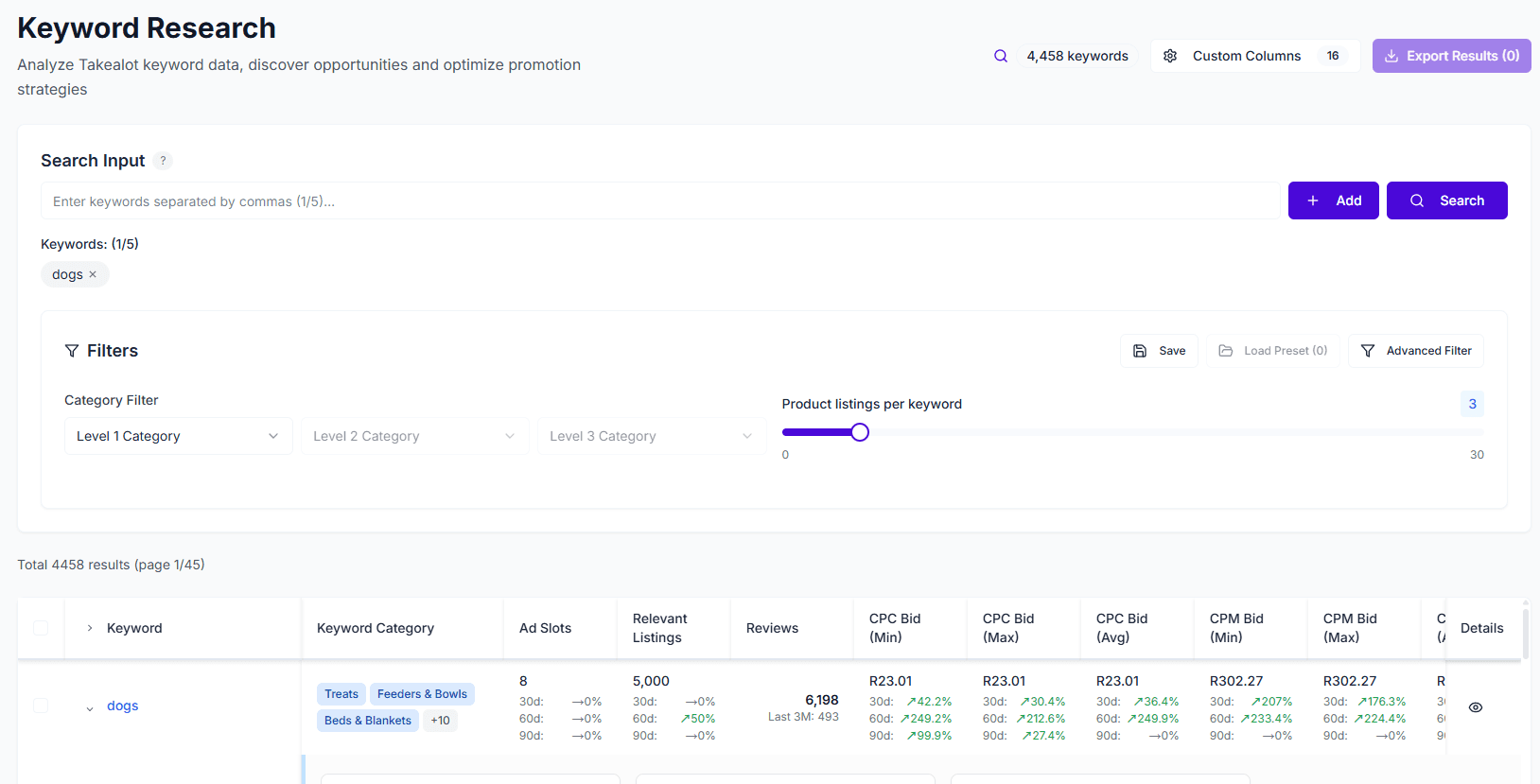
Keyword Research is an essential data-driven tool for Takealot sellers, helping you discover high-value keywords, optimize product listings, and develop effective advertising strategies. By analyzing millions of search data points, find the keywords that best fit your products.
Core Value
- Discover High-Value Keywords: Based on real Takealot search data, find keywords that best fit your products
- Optimize Listings: Add high-value keywords to product titles and descriptions to improve organic search rankings
- Develop Ad Strategies: View CPC/CPM bidding ranges and CTR data to inform your advertising campaigns
- Assess Competition Difficulty: Use ranking difficulty metrics to select keywords that are easier to rank for
Smarter keywords. Bigger profits. With our data-driven keyword research tools, clients have seen significant increases in ROI.
Quick Start
1. Enter Search Terms
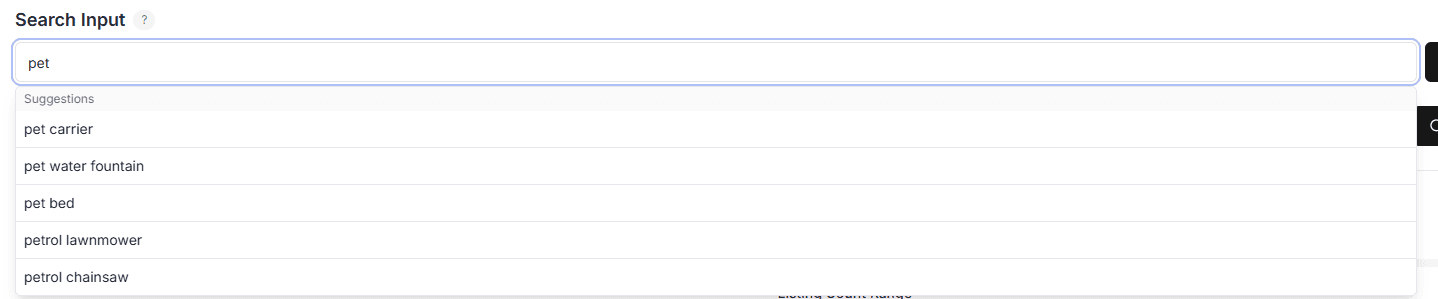
Enter keywords you want to research in the search box. Supports:
- Up to 5 keywords: Enter multiple related terms simultaneously, the system will intelligently match them
- Auto-suggestions: Shows Takealot official recommended related keywords as you type
2. View Keyword Data
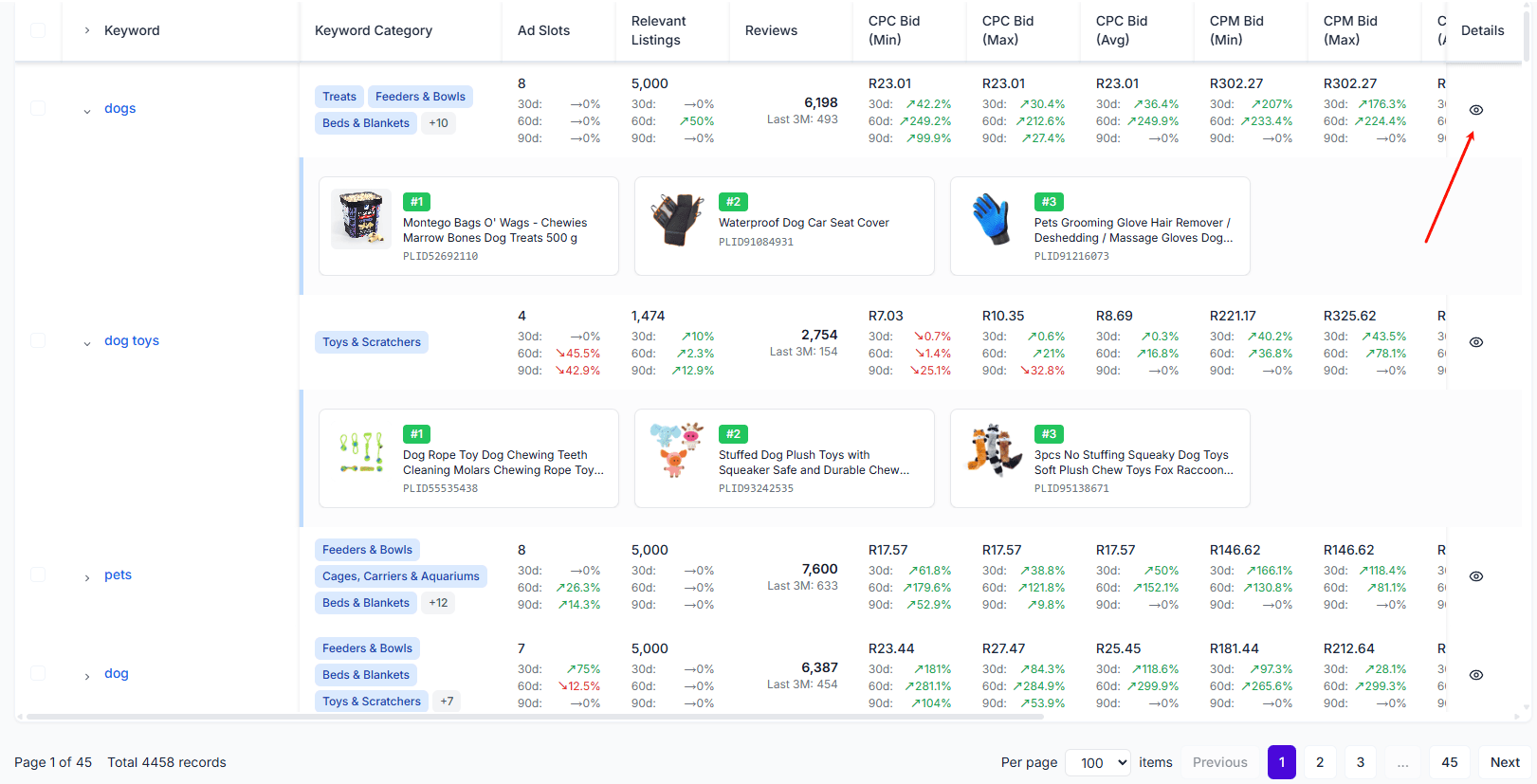
The system returns a list of matching keywords, each containing:
- Keyword Text: Complete search term
- Category Information: Product category the keyword belongs to
- Competition Data: Competitor count, listing count, review count
- Ranking Difficulty: Assessment of how easy it is to rank for this keyword
- CPC Data: Minimum/maximum bids and suggested bid
- CPM Data: Cost per thousand impressions range
- CTR Data: Minimum/maximum/average click-through rates
- Relevance Score: How well the keyword matches your search terms
3. View Detailed Information
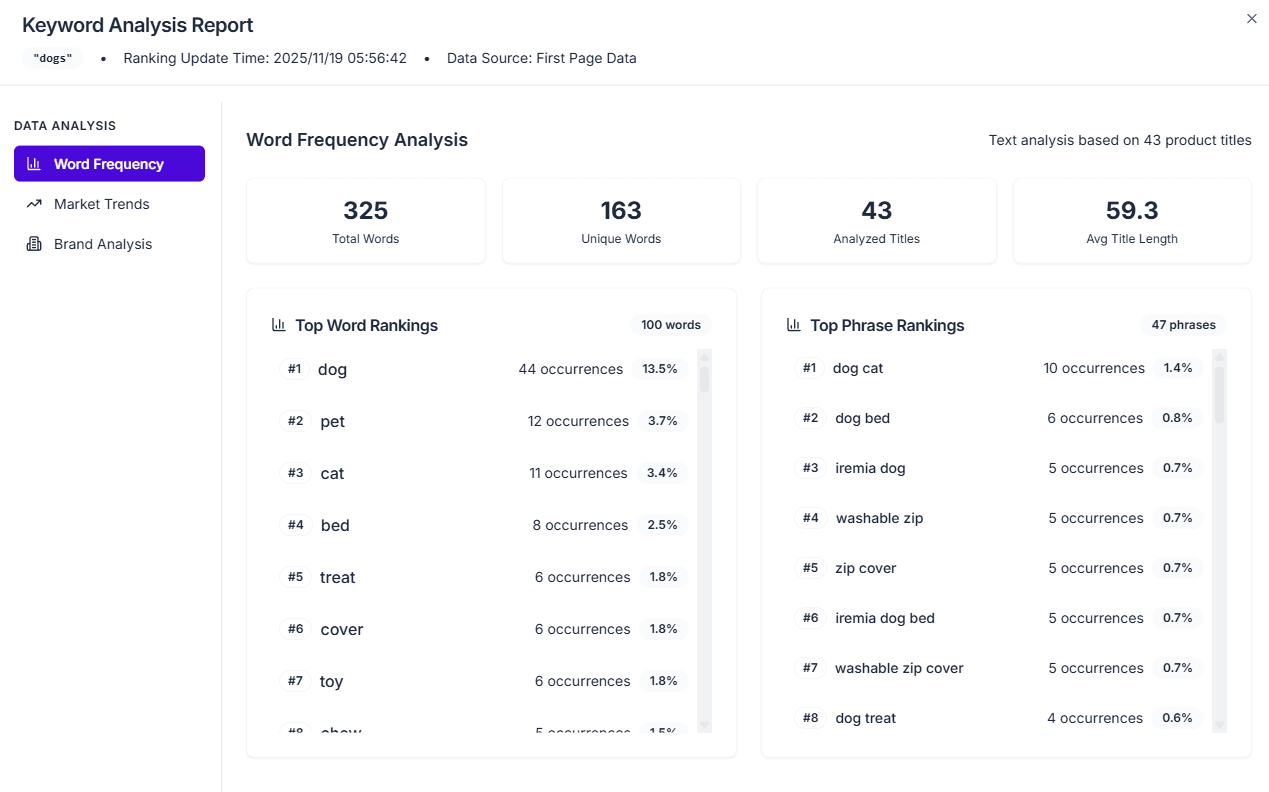
Click on a keyword to view more detailed information, including:
- Product listings under this keyword
- Keyword search trends (30/60/90 days)
- More detailed competition analysis data
Filtering & Sorting
Category Filtering
Supports three-level category filtering to quickly locate keywords in specific categories:
- Level 1 → Level 2 → Level 3
Custom Filters
You can filter by:
- CPC/CPM Bidding Range: Find keywords that fit your budget
- CTR Range: Filter for high click-through rate keywords
- Competitor Count Range: Select keywords with moderate competition
- Ranking Difficulty: Find keywords that are easier to rank for
- Relevance Score: Prioritize the most relevant keywords
Sorting
Supports sorting by any field, for example:
- Sort by relevance score descending to find the best matching keywords
- Sort by CPC bid ascending to find lower-cost keywords
- Sort by ranking difficulty ascending to find keywords easiest to rank for
- Sort by competitor count ascending to find keywords with less competition
Use Cases
Use Case 1: New Product Launch
Goal: Find suitable keywords for newly listed products
- Enter main product feature terms (brand, model, features)
- View system-recommended related keywords
- Filter for keywords with high search volume and moderate competition
- Add these keywords to product titles and descriptions
- Improve product visibility in relevant searches
Use Case 2: Listing Optimization
Goal: Optimize keywords for existing products to improve search rankings
- Enter current product’s main keywords
- Analyze system-recommended related keywords
- Compare keywords used by competitors
- Identify missing high-value keywords
- Update product titles and descriptions with new keywords
Use Case 3: Ad Keyword Selection
Goal: Select appropriate keywords and bids for advertising
- Enter product-related keywords
- View CPC/CPM bidding ranges and CTR data
- Evaluate ranking difficulty to select keywords easier to rank for
- Reference suggested bids to develop advertising strategy
- Prioritize keywords with high CTR and low CPC
Export Keywords to Takealot Ads
Use manual keyword campaigns on Takealot for better control and cost-effectiveness. Export keywords, choose bid strategies, select match types, and upload to the Seller Portal to create your campaign.
Most sellers rely on auto ads, which are often less accurate and more expensive. With our tool, you can take full control and run manual keyword campaigns that are smarter and more cost-effective.
1. Export Keywords
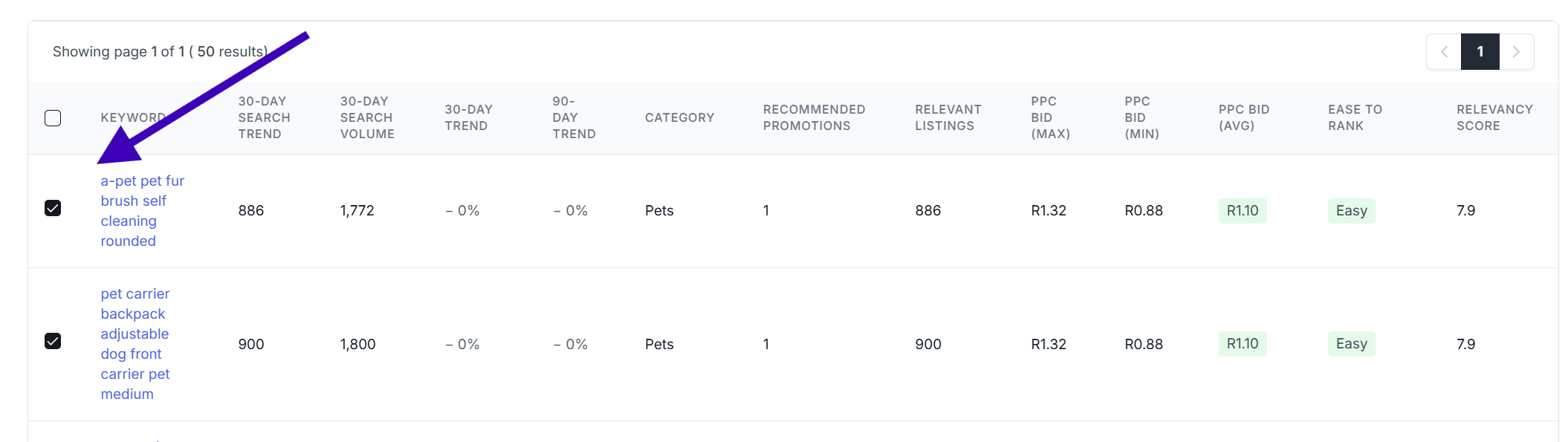
- Select the checkboxes next to the keywords you want to use.
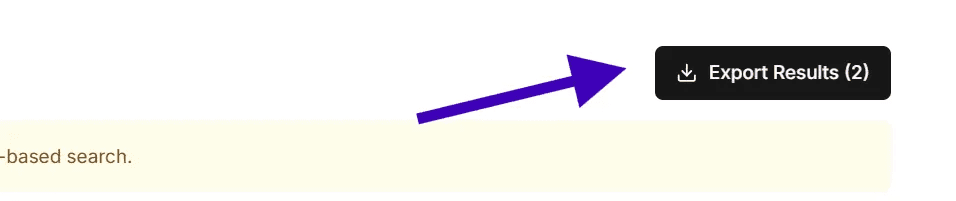
- Click the Export button in the top right corner.
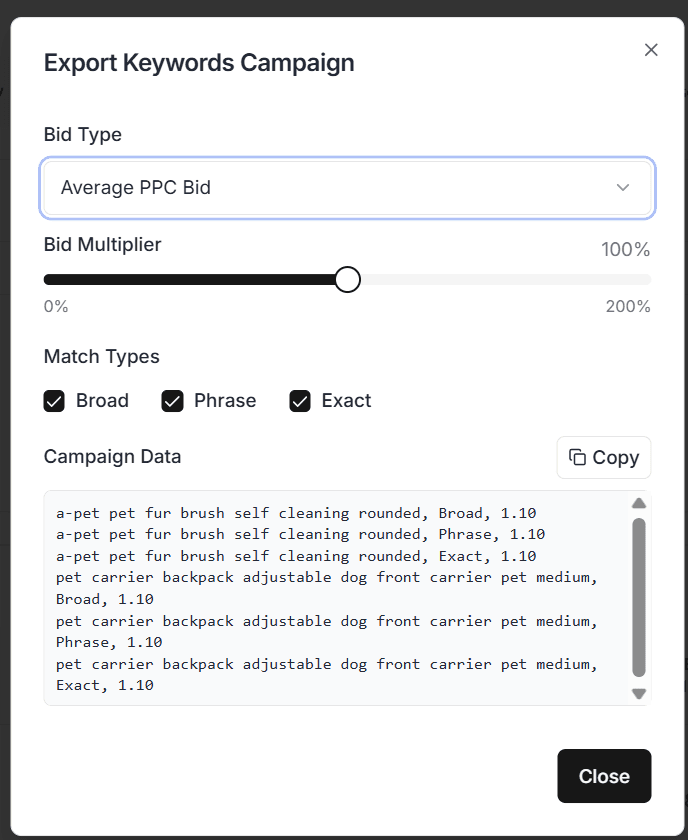
- A popup will appear for configuring your export.
2. Choose Your Bid Strategy
- Bid Type Options:
- Max Bid – Highest bid currently in market
- Min Bid – Lowest active bid
- Average Bid – Typical bid most advertisers are using
- Custom Value – Apply your own multiplier (e.g., 0–200%) to adjust bids at scale
3. Select Match Types
- Broad Match – Your ads show for variations and related terms
- Phrase Match – Your ads show when the exact phrase is part of the search
- Exact Match – Your ads show only for the exact keyword entered
4. Upload to Takealot
Once you’ve exported your keyword list, uploading it to your Takealot Sponsored Ads is quick and easy:
- Log in to your Seller Portal
- Navigate to the Sponsored Ads section
- Create a new campaign or edit an existing one
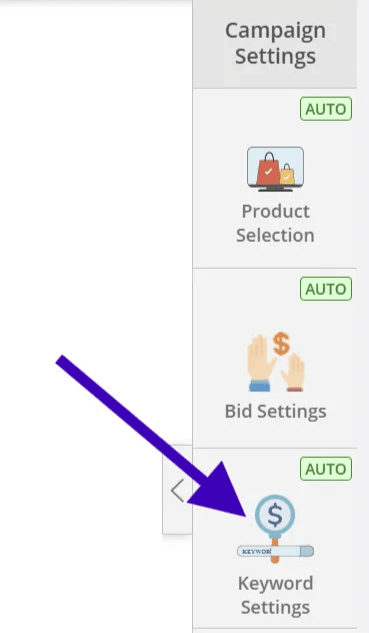
- In the campaign setup, go to the “Keywords” tab on the right-hand side
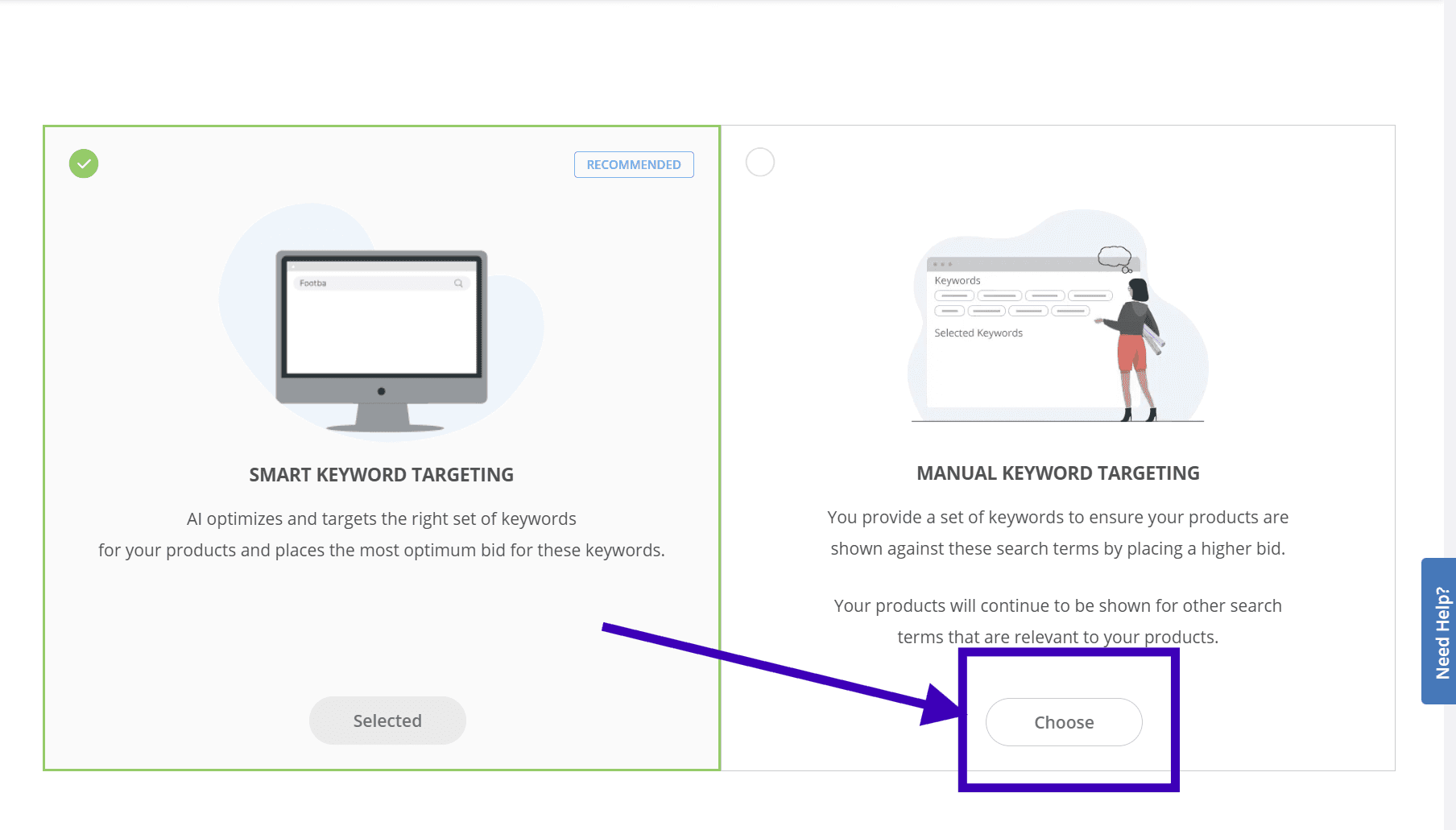
- Select Manual Keywords
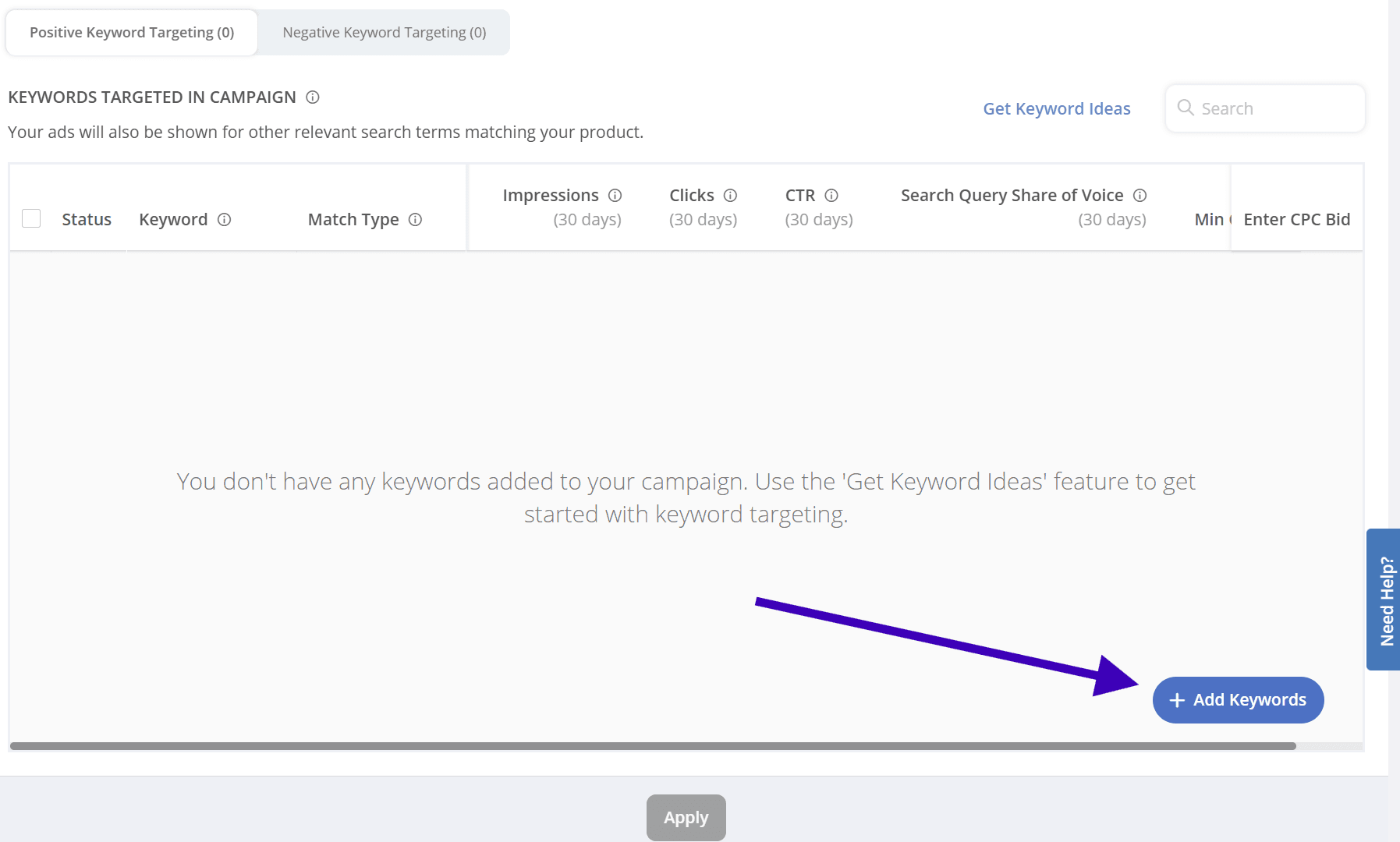
- Click “Add Keywords”
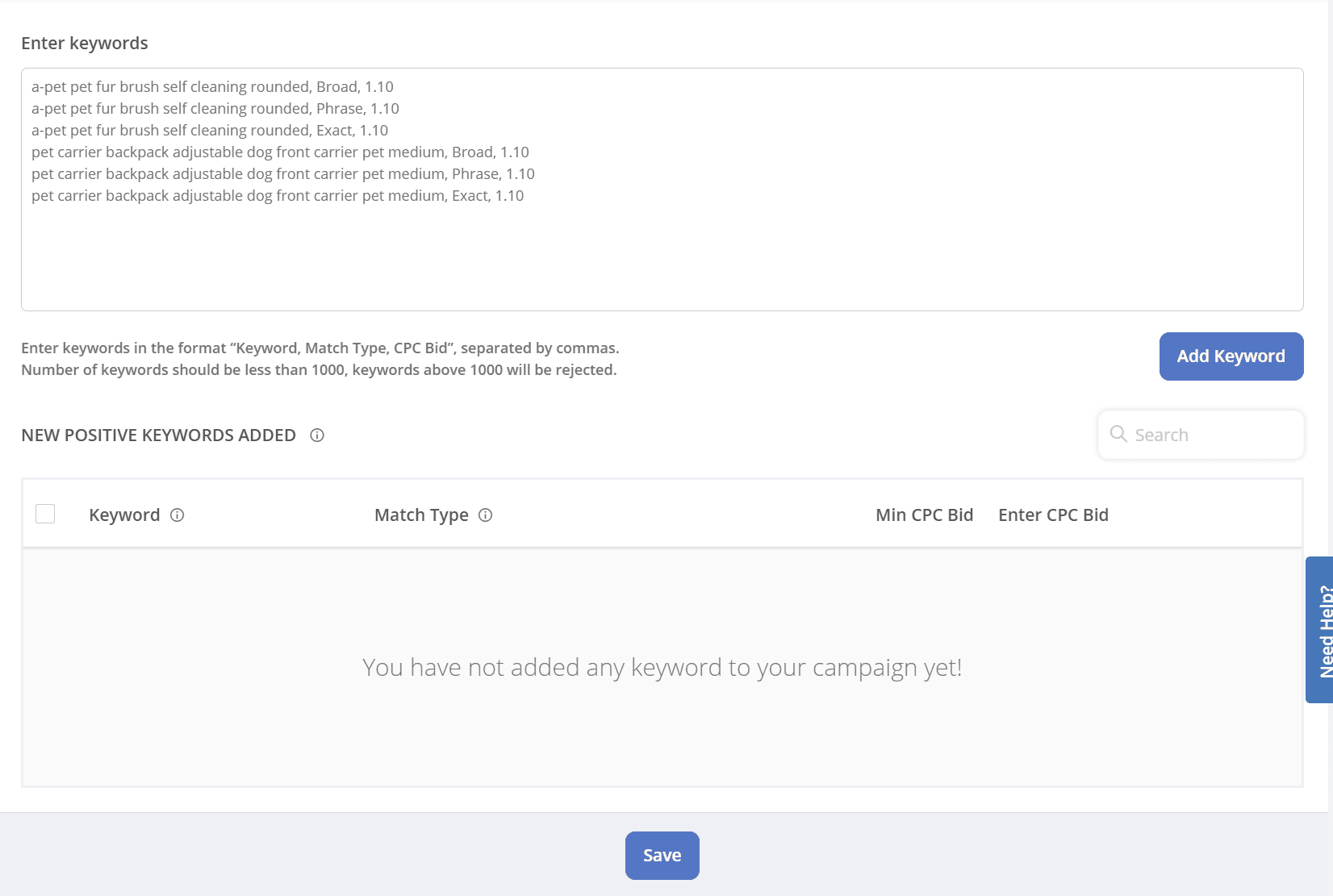
- Paste your exported keywords directly into the input box
- Click Add keywords & Save
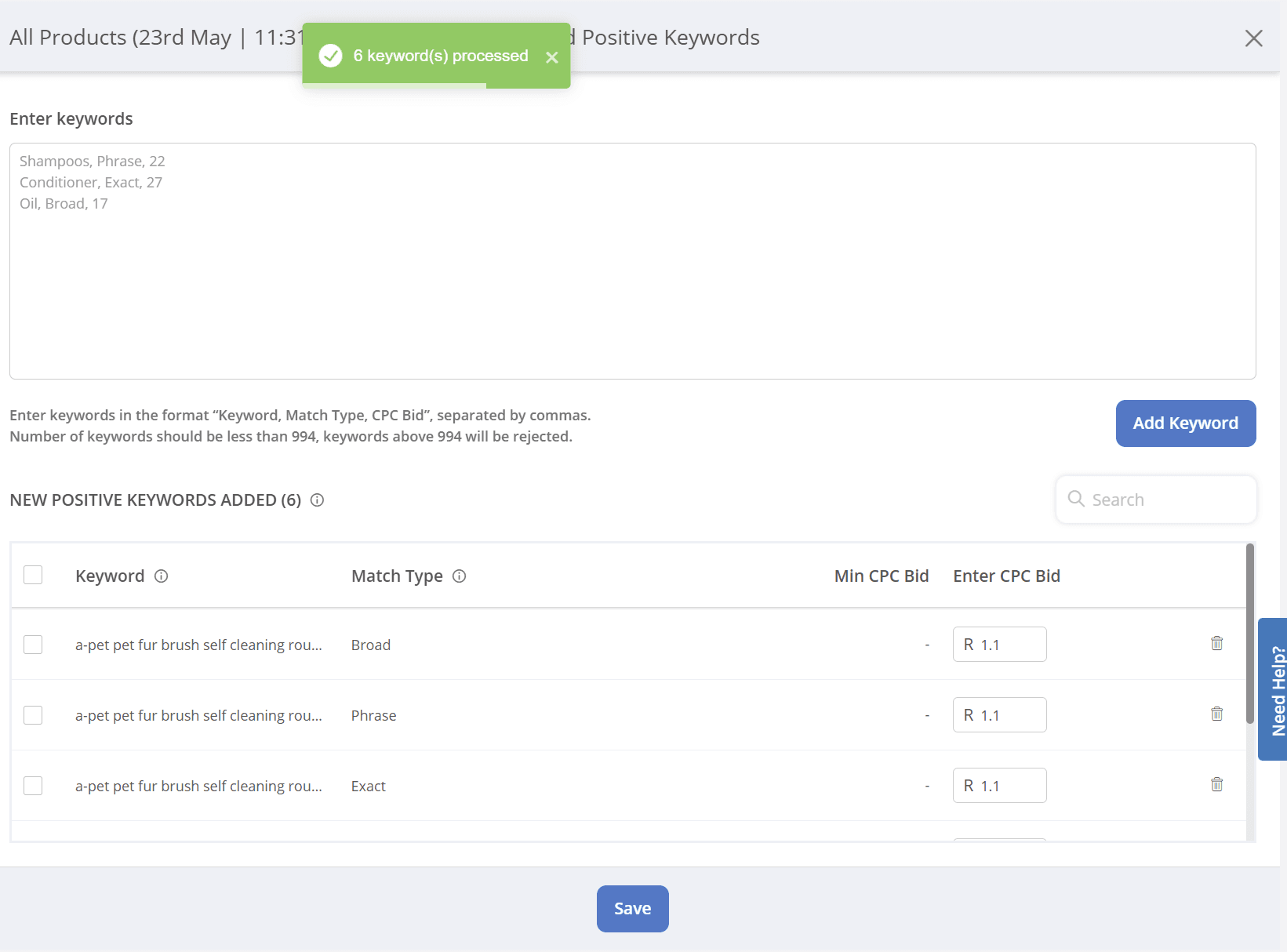
✅ You’re done! Your manual keyword campaign is now ready to go — giving you full control over targeting and bidding.
Data Export
Export search results to Excel/CSV format for:
- Deep data analysis
- Keyword list management
- Team collaboration and reporting
Notes
- Keyword data is based on real Takealot search data and updated regularly
- We recommend combining with Keyword Reverse Search tool for comprehensive competitor strategy analysis
- Regularly update keyword lists to keep up with market trends