Takealot Keyword Research Guide: Find High-Converting Keywords with Revenuealot
Takealot keyword research works best when you need fewer, better keywords instead of a larger keyword list.
What they usually have is a keyword decision problem. There are too many possible terms, too many broad ideas that look attractive, and too much uncertainty about which words actually deserve space in the listing or budget in ads.
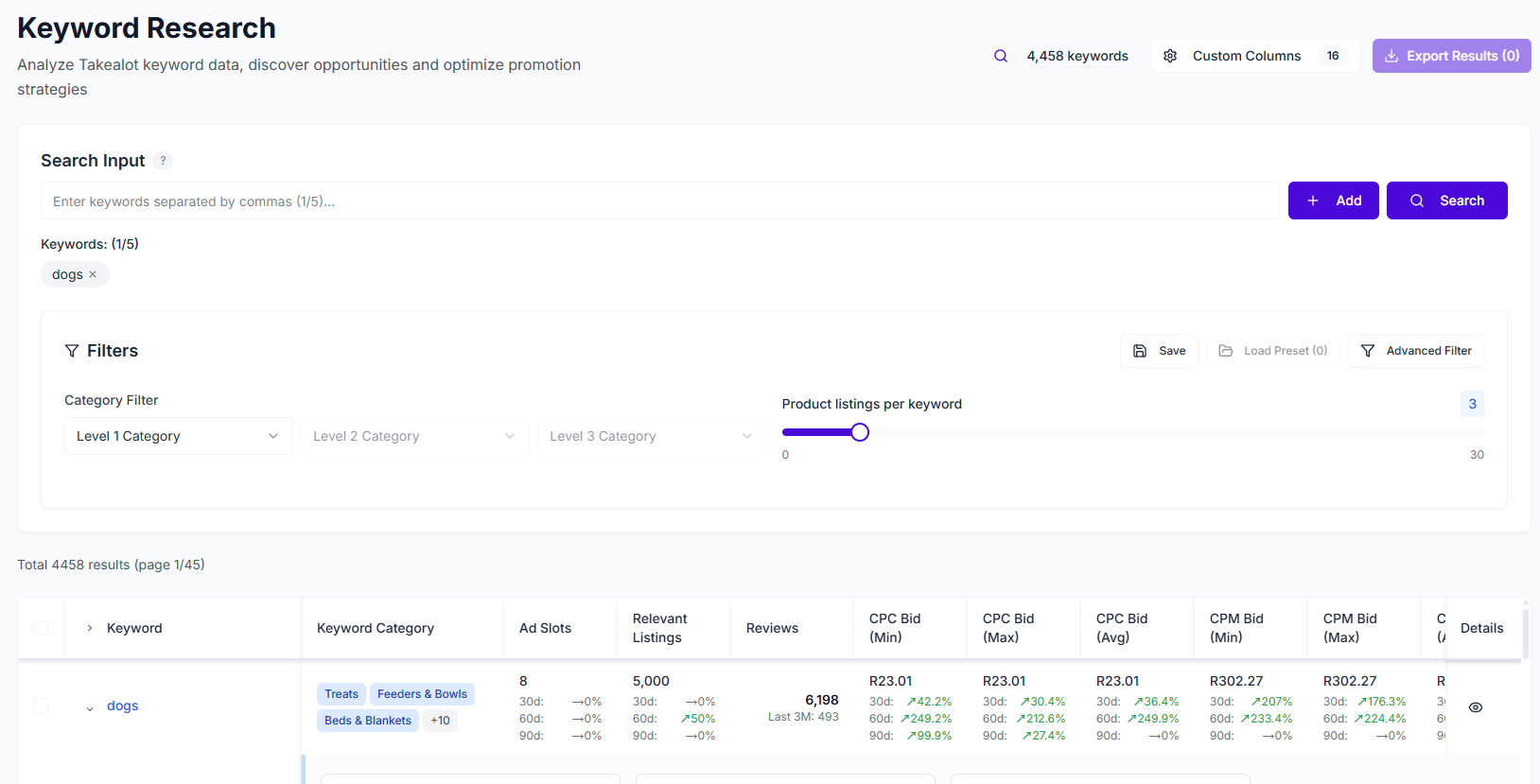
That is where Revenuealot Keyword Research helps. Instead of relying on search volume alone, you can compare keyword relevance, ease to rank, competition, CPC, CPM, CTR, and search trends to find terms that are more commercially useful for the product you are actually trying to sell.
If you want the feature walkthrough beside this article, start with the Keyword Research docs. If you want to see the product overview first, go to Keyword Research.
Quick answer: what makes a Takealot keyword worth targeting?
A keyword becomes worth real attention when four things line up:
- it matches the product closely enough
- the competition is still realistic for your current stage
- the click and bid signals are commercially sensible
- the search behavior suggests buying intent, not just curiosity
That is why the biggest keyword is often not the best keyword.
The best keyword is usually the one that fits your product, your listing strength, and your current growth stage better than the broader alternatives.
Why search volume alone is a weak keyword strategy
Search volume gets attention because it feels like proof of opportunity.
But a high-volume keyword can still be a poor target if:
- it is too broad for your exact product
- the ranking difficulty is too high
- the competition is already crowded with stronger listings
- the bid environment is too expensive for the likely return
This is why keyword selection should not start and end with "which term is biggest?"
It should start with "which term can realistically produce useful visibility and commercially sensible traffic for this specific product?"
Start with the keyword signals that actually help you decide
When Keyword Research returns a list, the most useful fields to read first are usually:
- Relevance Score
- Ease to Rank
- Competitor Count
- Listing Count
- CPC / CPM
- CTR
These give you a much clearer first pass than simply sorting by the most obvious term.
Signal in Keyword Research | What it helps you judge | Why it matters |
|---|---|---|
Relevance Score | How closely the term matches your product idea | Prevents wasted effort on vague but tempting terms |
Ease to Rank | Whether the keyword is realistic right now | Helps separate near-term targets from long-term ambitions |
Competitor Count | How many products are actively competing | Shows whether the keyword is too crowded |
Listing Count | How saturated the search landscape looks | Adds context beyond a single competition number |
CPC / CPM | How expensive paid traffic may be | Helps protect budget quality |
CTR | Whether the term tends to attract clicks | Useful for judging ad attractiveness with relevance |
Relevance should cut the list down before you look at cost
This is the step many sellers skip.
A keyword can look interesting because it is popular, but if the product fit is only partial, it often produces messy outcomes:
- weak listing clarity
- broad traffic with weak intent
- ad clicks that do not convert well
That is why Relevance Score matters so much. It helps you remove the terms that are technically related but commercially weak for your product.
Ease to Rank tells you whether a keyword fits your current stage
Some keywords are worth winning eventually, but not right now.
That is especially true if:
- the listing is still new
- review depth is still modest
- the product has little organic momentum
Ease to Rank helps you stop treating every attractive keyword as an immediate priority.
That is important because the best early wins often come from terms that are:
- highly relevant
- easier to compete on
- commercially sensible enough to support both listing work and ads
CPC, CPM, and CTR help you judge which keywords deserve ad budget
Keyword Research is not only for listing optimization. It is also one of the most practical ways to choose better ad terms.
This is where bid and engagement signals matter:
- CPC helps you judge acquisition cost pressure
- CPM helps you understand impression cost pressure
- CTR helps you see whether the term tends to attract interaction
If a keyword has good relevance, realistic competition, and healthier click behavior, it is often a better advertising candidate than a broader term with stronger headline volume but weaker commercial efficiency.
Search suggestions and keyword trends make the shortlist more realistic
One reason sellers get stuck is that keyword ideas often start too narrowly or too broadly.
Keyword Research helps here in two useful ways:
- it supports multiple seed terms, so you can start from a cluster instead of one phrase
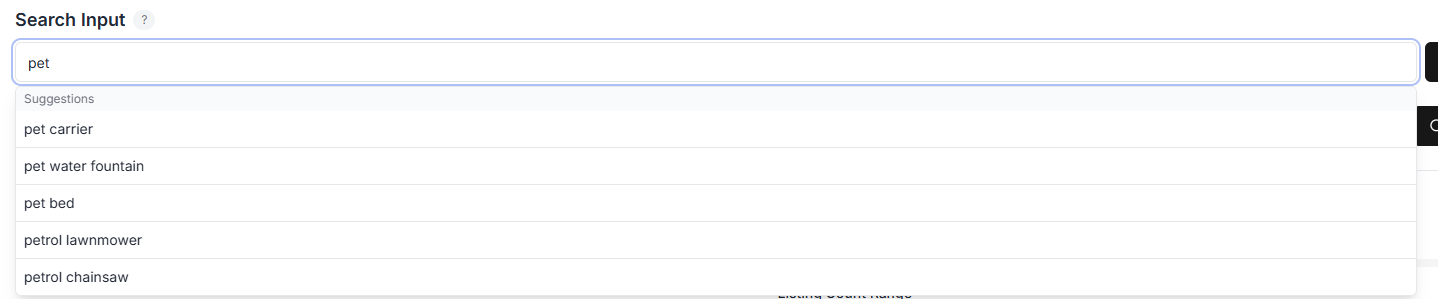
- it surfaces related suggestions and deeper keyword details, which help you see where better variants may exist
That makes it easier to move beyond the first obvious terms and build a keyword set that is closer to how buyers actually search.
A practical filter sequence for finding better Takealot keywords
If you want a workflow that is easy to repeat, I would use this order:
1. Start with relevance
Remove the terms that do not match the product's core use case well enough.
2. Narrow by difficulty and competition
Among the relevant terms, keep the ones that are more realistic for your current position.
3. Review CPC, CPM, and CTR
Now check whether the shortlisted terms are still commercially sensible for paid traffic.
4. Use category filtering when the list is too broad
Category filtering is especially useful when a term can belong to multiple adjacent product spaces and you need to reduce noise quickly.
A simple table for choosing which keywords to act on first
What you see | Better reading | Better action |
|---|---|---|
High relevance, moderate difficulty, manageable CPC | Strong near-term target | Use in listing and test in ads |
High relevance, very high competition, expensive bids | Valuable but costly keyword | Keep as a longer-term target |
Medium relevance, high CTR, weak product fit | Attractive traffic but weak conversion fit | Do not force it into the strategy |
Strong relevance, lower competition, decent CTR | Efficient keyword opportunity | Prioritize early |
Broad keyword with heavy listing count | Harder battlefield than it first looks | Avoid making it your first priority |
New products and mature listings should use keyword data differently
For new products
The goal is usually to build a realistic launch keyword set rather than chase the biggest head terms immediately.
That often means prioritizing terms that are:
- tightly relevant
- easier to rank for
- not too expensive to test
For established listings
The goal is usually to clean up the current keyword set:
- identify missing terms with better fit
- replace terms that are too expensive or too broad
- improve the connection between listing language and ad targeting
Exporting stronger keywords into manual ads gives you more control
One of the most practical uses of Keyword Research is exporting the better shortlist into manual ad campaigns.
That matters because it gives you tighter control over:
- what terms you are actually bidding on
- which match types you want to use
- whether bid strategy fits the level of confidence you have in the keyword
In other words, keyword research becomes more useful when it leads directly into better budget decisions.
FAQ
Are high-converting keywords always the ones with the highest search volume?
No. High-converting keywords are usually the ones with the best mix of relevance, realistic competition, and commercially sensible traffic signals. Volume alone does not guarantee useful traffic.
Should I use Keyword Research only for ads?
No. It is useful for both listing optimization and advertising. The strongest workflow is usually to use the data for both: improve listing relevance first, then support the best terms with ad budget where appropriate.
What should I use with Keyword Research?
If you want to understand which current campaigns are already wasting budget, pair this with Ads Analytics. If you want to see what competitors already rank for, pair it with Keyword Reverse.
Final takeaway
Good Takealot keyword research is not about collecting more words. It is about building a shortlist you can defend.
Revenuealot Keyword Research helps you do that by combining keyword fit, competition, bid pressure, click signals, and deeper trend context. That makes it easier to decide which terms deserve listing space, which ones deserve ad budget, and which ones are better left alone for now.
If you are reviewing keywords today, open Keyword Research and narrow the list with more discipline. Keep the Keyword Research docs open if you want the detailed feature walkthrough next to the work.