Inbound Shipments
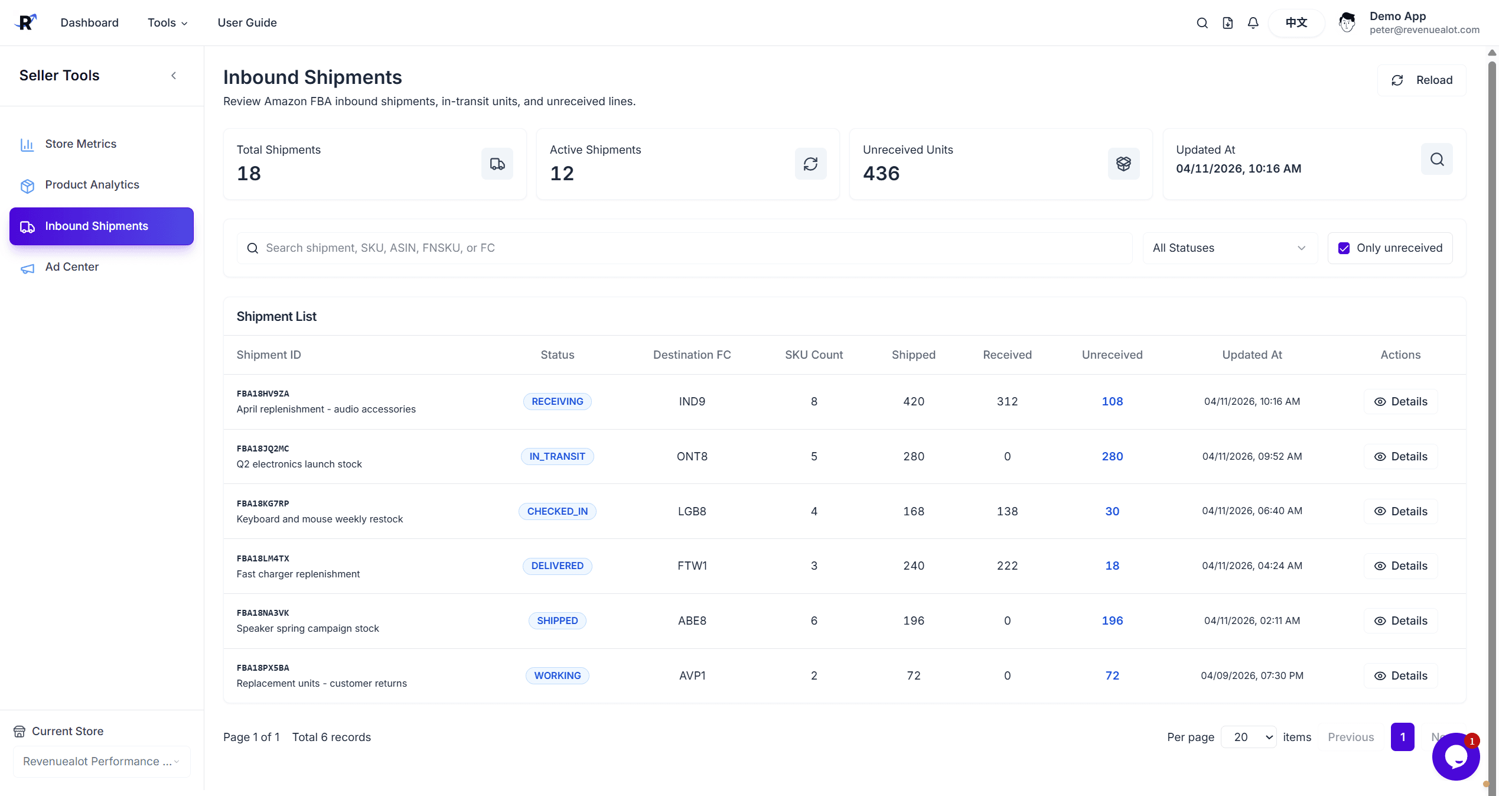
The Amazon Inbound Shipments page centralizes FBA shipment status, shipped units, received units, and unreceived line details. Use it to track shipments in transit, investigate receiving gaps, and combine shipment context with Product Analytics when reviewing replenishment risk.
Prerequisites
- Amazon store is connected
- The selected store has FBA inbound shipment data
- Select the target store at the top of the Amazon module
Inbound shipment data comes from scheduled Amazon sync jobs. The page can remain empty until Amazon and the sync pipeline return shipment details.
Open the Page
Go to Amazon
Open Amazon from the sidebar or tools menu.
Select a Store
If you have multiple Amazon stores connected, use the store selector to choose the store you want to review.
Open Inbound Shipments
Go to Inbound Shipments to review summary metrics, filters, and the shipment table.
Page Overview
The top of the page shows four operating metrics:
| Metric | Description |
|---|---|
| Total Shipments | Number of shipments in the current filtered result |
| Active Shipments | Shipments that are still in an active workflow |
| Unreceived Units | Units shipped to Amazon but not yet received |
| Updated At | Latest sync or update time |
Filters and Search
Use these controls to narrow the shipment list:
- Keyword search: Search by shipment ID, SKU, ASIN, FNSKU, or destination fulfillment center
- Shipment status: Filter by Amazon status such as WORKING, SHIPPED, IN_TRANSIT, DELIVERED, RECEIVING, or CLOSED
- Only unreceived: Show only shipments that still have unreceived units
For daily exception review, start with Only unreceived, then search by SKU, ASIN, or destination fulfillment center.
Shipment Table
The table surfaces the key fields for each shipment:
| Column | Description |
|---|---|
| Shipment ID | Amazon FBA Shipment ID; shipment name may appear below it |
| Status | Current Amazon shipment status |
| Destination FC | Destination fulfillment center |
| SKU Count | Number of SKUs in the shipment |
| Shipped | Units shipped to Amazon |
| Received | Units Amazon has confirmed as received |
| Unreceived | Units shipped but not yet received |
| Updated At | Last synced time for the shipment |
Click a row or the Details button to open shipment details.
Shipment Details
The detail dialog shows SKU-level receiving lines:
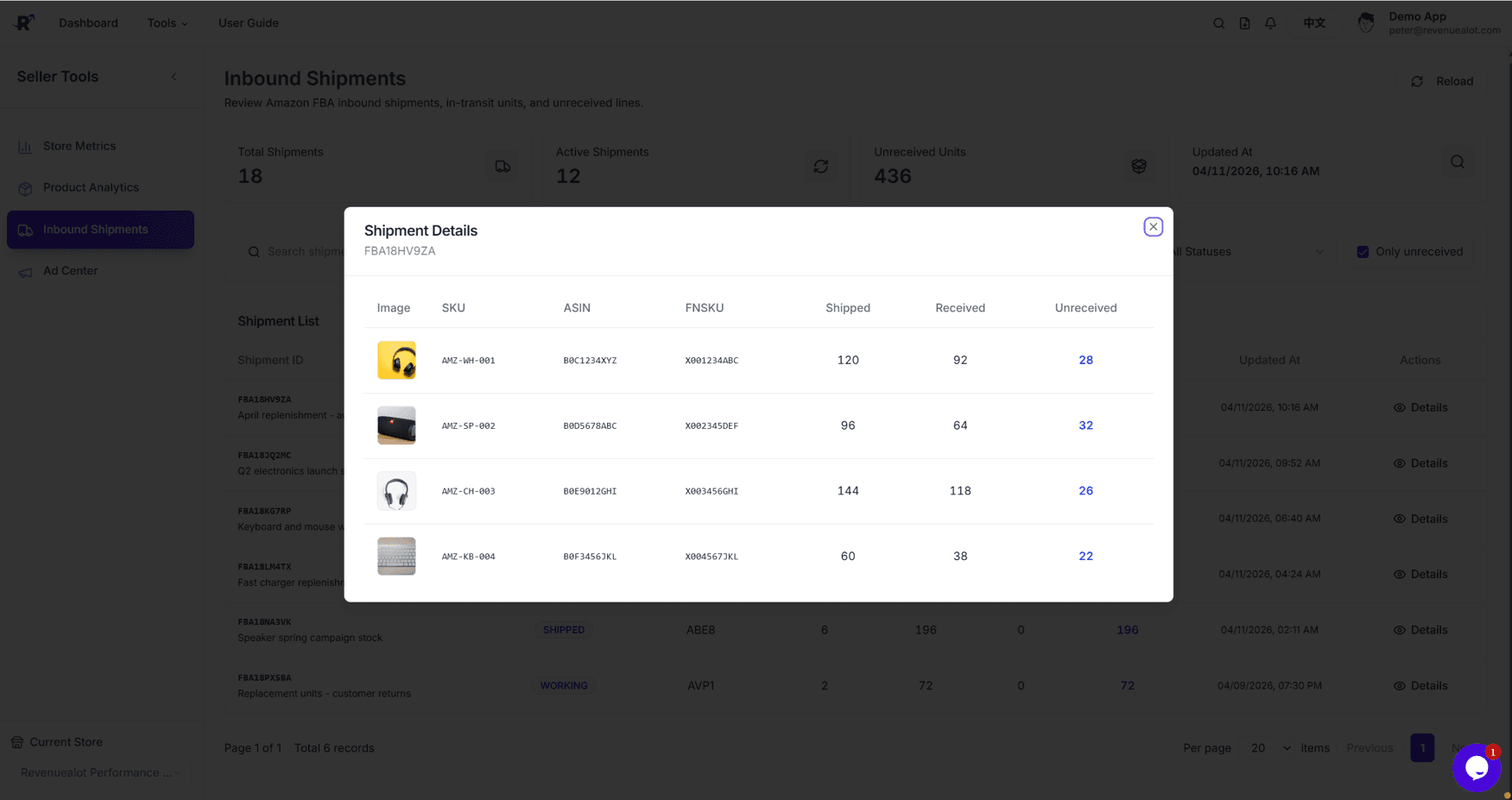
- Product image
- SKU
- ASIN
- FNSKU
- Shipped quantity
- Received quantity
- Unreceived quantity
Use this view to identify exactly which SKUs are still not received by Amazon.
Product-Level Inbound Details
Product Analytics can also open inbound shipment details for a single product. When inventory or inbound quantities look unusual, start from the product and check whether the SKU has open or unreceived shipment lines.
Troubleshooting
No shipment data
Confirm the Amazon store is connected and wait for sync to finish. If Amazon does not return FBA inbound shipments, the page will remain empty.
Does unreceived mean lost?
Not always. Unreceived means the units were shipped but Amazon has not confirmed receiving them yet. They may still be in transit, receiving may still be in progress, sync may be delayed, or there may be an actual discrepancy.
Why does Product Analytics show inbound units without matching shipment lines?
Some inbound quantities can come from an FBA inventory snapshot rather than shipment-level details. The product dialog will note when no matching shipment lines are available.
Next Steps
- 📦 Amazon Product Analytics - Review inventory, sales, and inbound data by product
- 📈 Amazon Store Metrics - Review store-level performance
- 🔌 Store Connection - Check Amazon store connection status